Border0 sockets
Last validated: View as Markdown
This topic is deprecated.
Border0 is becoming Tailscale PAM. For more information, refer to Border0 + Tailscale is now Tailscale PAM.
Border0 + Tailscale is currently in beta.
Sockets are services on your Tailscale network (known as a tailnet) that are made available through the Border0 + Tailscale platform. They let you manage privileged access to the services.
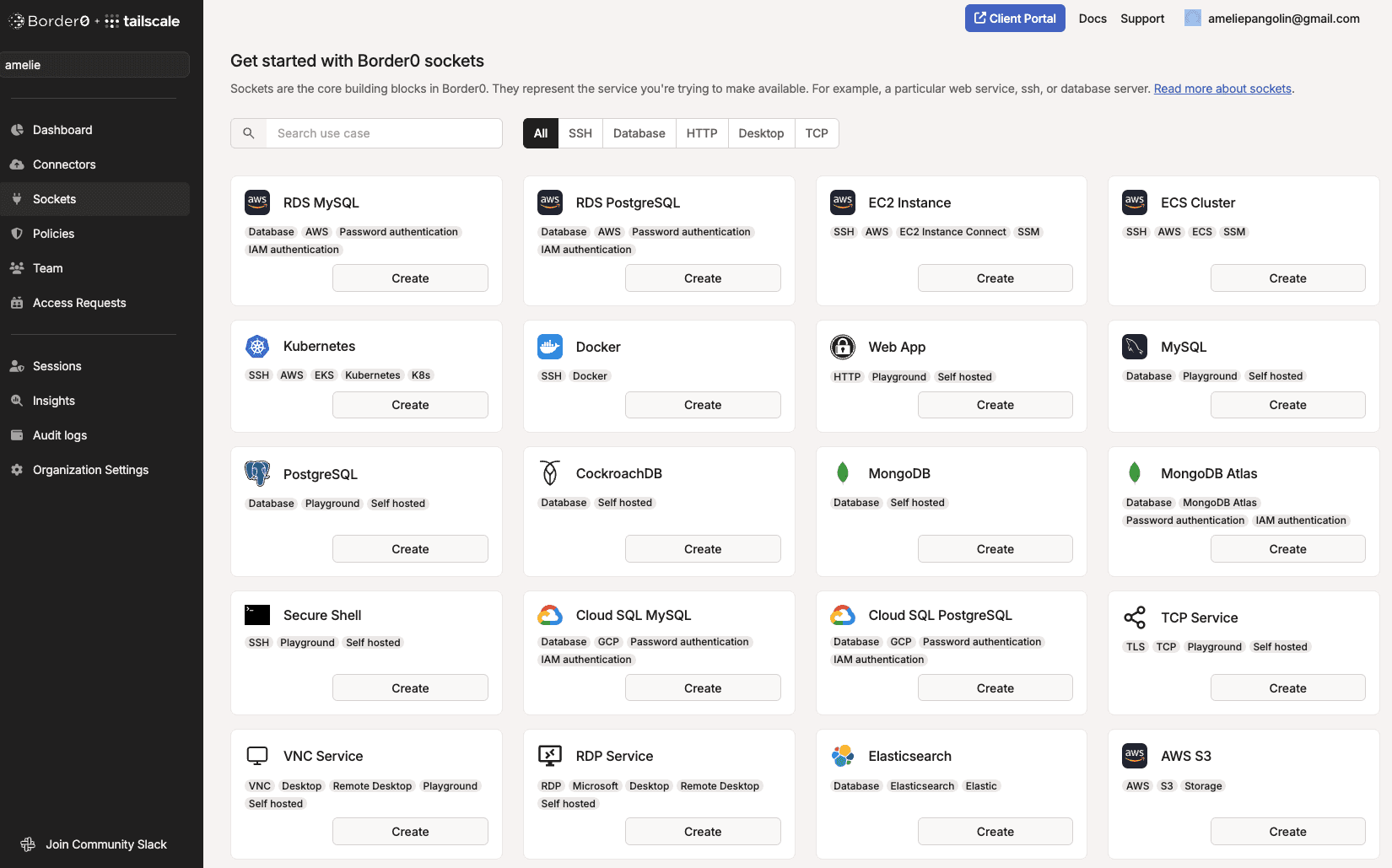
Border0 supports various socket types:
- HTTP/HTTPS
- SSH
- Databases, such as:
- Amazon RDS
- Elasticsearch
- Google Cloud SQL
- Microsoft SQL Server
- MongoDB
- MySQL
- PostgreSQL
- Kubernetes
- Remote Desktop Protocol (RDP)
- Virtual Network Computing (VNC)
- Any TCP port
Prerequisites
Before you begin, confirm you have the following:
Create a socket
- In the Border0 admin portal, open the Sockets page.
- Select Add New Socket.
- Select a socket type for your use case, and then select Create.
- Follow the prompts to configure your new socket. As part of your configuration, you are required to select a connector for the socket.
- When you have finished providing details about your new socket, select Create New Socket.
Update a socket
- Open the Sockets page.
- Select the socket that you want to update.
- Select Actions.
- Select Edit.
- Make your changes.
- Select Update Socket.
Delete a socket
- Open the Sockets page.
- Select the socket that you want to delete.
- Select Actions.
- Select Delete.
- When prompted, confirm that you want to delete the socket.