 Kevin Purdy
It’s 11:20 p.m., and the newest engineer on the data team spots something wrong in a database table. They need to take a look, so a colleague points them to a connection string stashed in a shared vault. They paste it, run a SELECT, update the chat, and go to bed.
Or did they? The database only shows that postgres connected. Not which engineer. Not why they were there. Just the same shared login six different people use when they need to get in. Any of them could have run a DELETE with no WHERE clause. A post-mortem might still come up empty because the database never knew which person was actually inside.
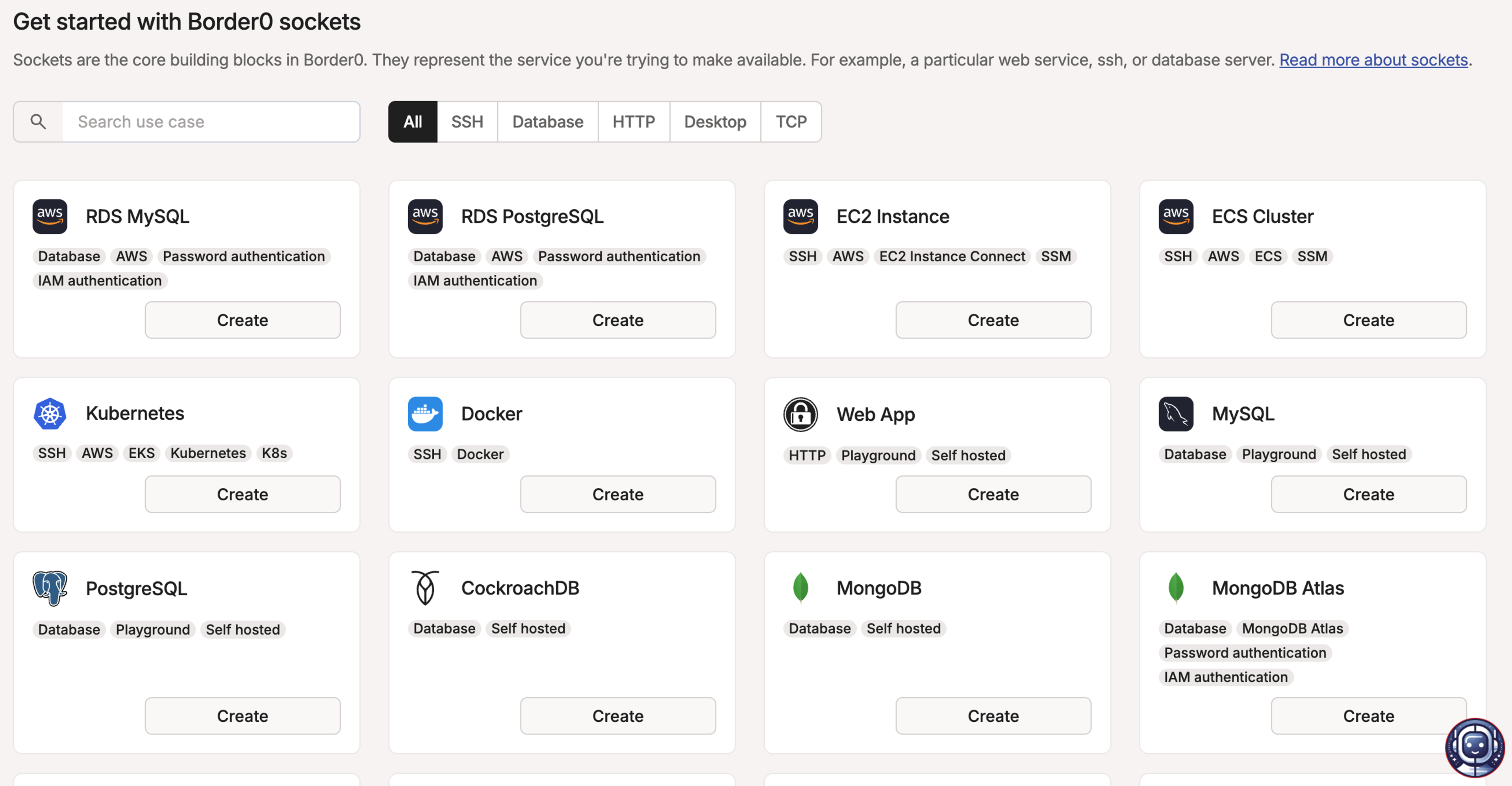
Border0 + Tailscale replaces shared credentials with identity-aware access to your critical resources—databases, Kubernetes clusters, SSH servers, RDP sessions, and internal admin panels. It brokers each connection to the resource someone needs, ties it to a real identity, and records what happened.
Database access is one example of the problem, where shared secrets, impromptu fixes, and audit questions collide. But Border0’s better model works for other sensitive systems, too. You give the right users access to the things they need, when they need them, not a standing credential or broad network path.
Network access is not resource access control
Lots of tools promise to solve database access setups, but many of them just solve the network connection part. You put your database on a private network, which is smart, but you still need a way in.
Bastion hosts provide a box for your SSH to run through, but require patching, monitoring, and rotating keys for a machine that has just one job: deciding who can talk to production. Traditional VPNs are more infrastructure to maintain, and your database access can fall inside the blast radius of stolen VPN credentials. Shared secrets vaults are lower maintenance, but still password-based with no identity attached. They’re all backstage access doors, letting anyone with “All Access” on their badge through, however they got it.
Putting the identity into the connection
Border0 + Tailscale approaches Privileged Access Management (PAM) from another direction. Instead of passwords, connection strings, or dedicated devices, Border0 brokers the connection to your sensitive systems, and ties those connections to real identities.
There’s no separate PAM or VPN to deploy—no new gateway to route through, no appliance to babysit, no second network to think about. For a lot of deployments, Border0 can be set up with two lines of code.
The initial authentication flow is familiar to any Tailscale user. You log in with an identity provider you’re already using: Google, Microsoft, GitHub, Okta, or whichever SSO provider your organization uses. Then it gets interesting. Border0 is a Layer 7, protocol-aware proxy for databases and infrastructure, understanding database wire protocols like Postgres and MySQL while also supporting identity-aware access to SSH, Kubernetes, RDP, and internal web applications.
Because Border0 speaks databases, it can map activity back to the person behind the session, enforce more precise access policies, and record session activity, including database queries where supported.
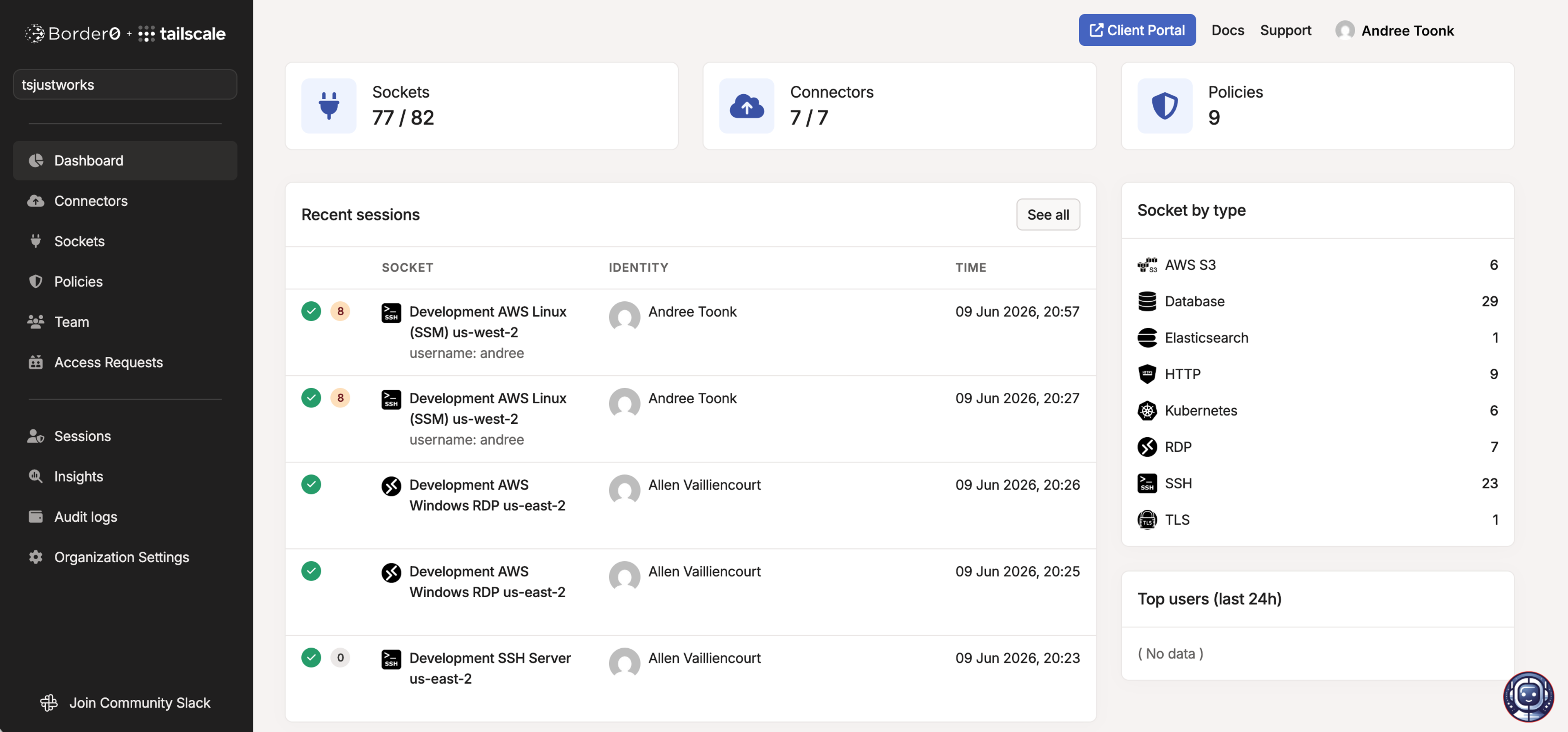
You can still connect from the CLI or your preferred GUI client (DBeaver, TablePlus, etc.), using a short-lived connection. Border0 adds a browser-based client, along with a portal that shows everything you can reach. But your database workflows—other than the part where you dig up that secret—stay in place.
Now, instead of asking people to remember the network map, hostname, access path, and credential location, Border0 can show each user the resources they are allowed to access. They can launch access from one place, using the tools they already prefer, or use the browser when that is the simpler path.
For contractors, partners, or one-off access, browser-based access can also reduce the need to install a client or grant broader network reachability. You can give someone access to the application they need, not the whole environment around it.
Developer-friendly and security-friendly are the same path
Because every Border0-brokered connection is associated with a real identity, it’s easier to write access policies mapped to people and conditions, not network ranges:
- One team gets read-only on a reporting replica
- On-call engineers can request temporary access to production when they need it
- Contractors, from defined regions, only get access during business hours
- Just-in-time access through approval workflows, including Slack and API-driven flows
Most of this access is occasional—a 2 a.m. incident, a migration, a customer escalation. So why leave access to production always switched on? Border0 grants access when it’s needed, then pulls it back when the job is done.
For sensitive systems, teams can keep default access read-only or unavailable, then let users request elevated access with a reason and time limit. The approval, duration, and resulting activity can be reviewed together later.
Identity flows into your records
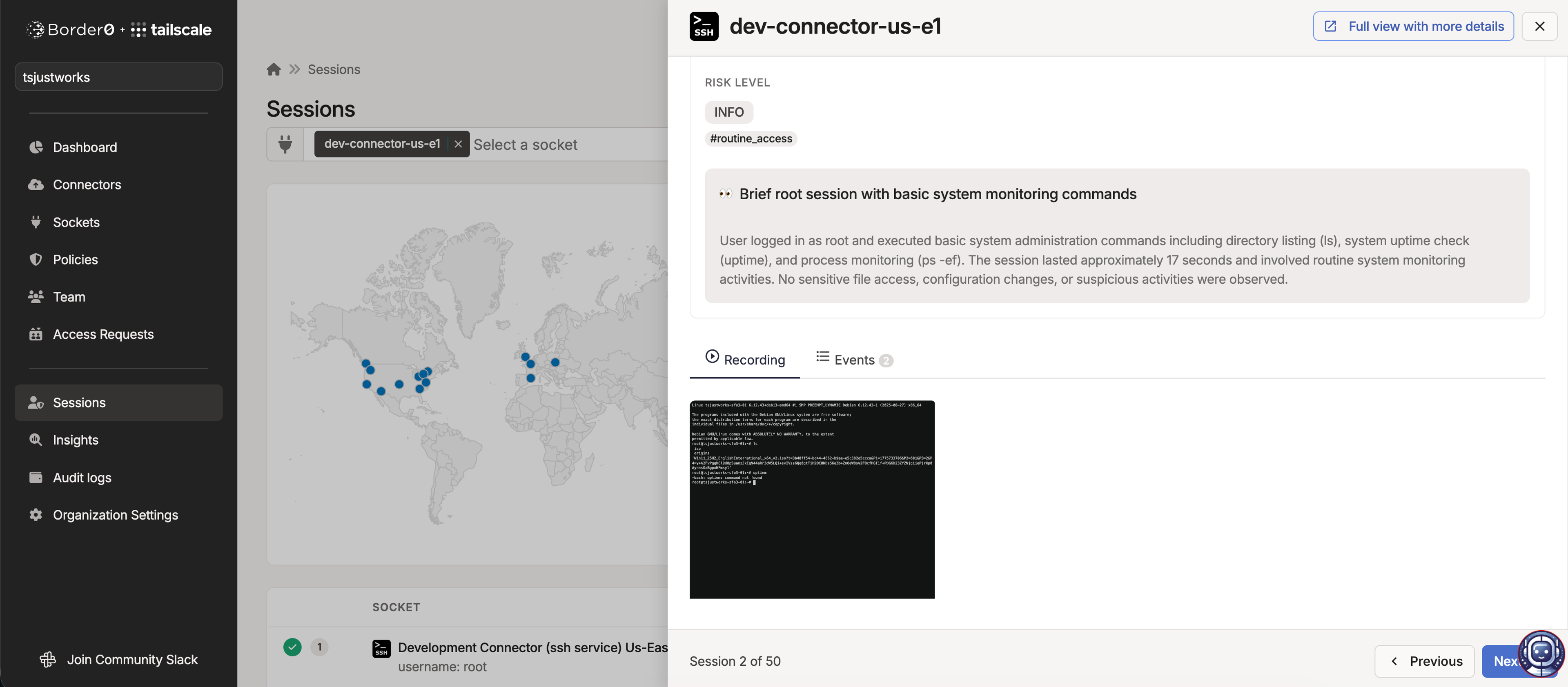
Border0 logs who connected, to which database, from where, and what queries they ran. The value shows up the moment you need the evidence: a SOC 2 or ISO 27001 audit, an enterprise customer’s security review, or a reconstruction after an incident. “Who accessed this customer table, what did they see, and who approved it?” is no longer a shrug or a guess, but an export. It’s the same answer for patient records or other sensitive data in regulated environments.
Without this layer, auditability often becomes bespoke: one logging approach for MySQL, another for SSH, yet another for Kubernetes, and all the gaps between them. Border0 gives teams a more consistent record of who accessed what, when, from where, and what happened during the session.
If you already run Tailscale, none of this should feel foreign. Tailscale gives you an encrypted, identity-based path to resources, scoped by who you are. Border0 governs what happens once you’ve reached those resources: the brokering, approvals, query-level recording, and evidence. You’ve already got connectivity; Border0 is the control on top of it, a few layers up.
Or, put another way: Tailscale helps you reach the right private resources. Border0 helps govern application access once you get there.
Try it now
Workflow-friendly PAM is now available with the Border0 + Tailscale free trial—no credit card required. The trial, included on any Tailscale plan, provides six users, seven days’ log retention, 10 sockets, and an agentless browser client. More information can be found in our docs.


