 Remy Guercio
The era of subsidized AI usage is ending. Agents killed it. We’ve seen two big pricing shifts over the last few weeks: third-party agents lost access to flat-rate AI plans and businesses are now paying API rates for all tokens used.
Agents broke the flat-rate model
Since we launched the original Aperture alpha a few months ago, we’ve seen a sharp increase in customers running multiple simultaneous agents per user. Agents such as Claude Code, Codex, OpenCode, or OpenClaw, use orders of magnitude more tokens than someone chatting with AI as part of a task. It’s no surprise that flat-rate plans, where casual chat usage subsidized heavy agentic workloads, are coming to an end.
To help customers manage this, we’ve rolled out a few new Aperture features to make it both more secure and more cost effective to run multiple coding and background agents.
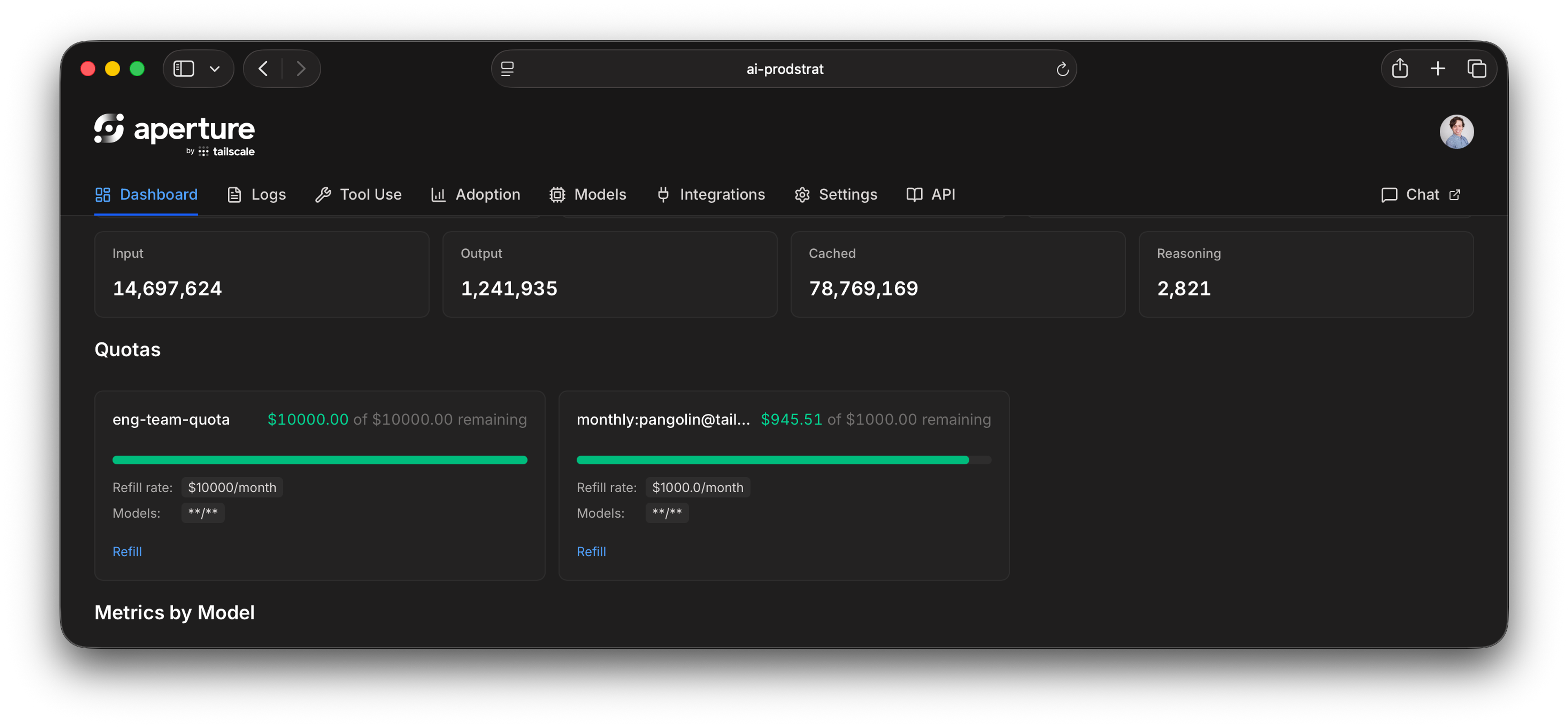
Customizable quotas: one budget for every provider
The best model this month might not be the best model next month. Knowing this, many engineers want access to two or more model providers. You want choice, but this comes with issues. It’s incredibly hard to control costs this way. Even more so with pricing becoming more usage-based.
Do you give users plans for multiple providers, even if they don’t use all of them? Do you rely on organization-wide cost controls and hope for the best? Do you force them to fill out a support ticket for every $100 in overage? To solve this dilemma we built quotas into Aperture. With Aperture, a single seat offers a universal quota you can apply across providers. Set budgets for users, groups, agents, or even individual agent runs, then apply them across providers, models, identities, and devices. Let active LLM users decide how to most effectively spend their allowances.
Maybe they need a state-of-the-art model for one task, but an open-source model that’s 80% cheaper does the job for another. And, if something goes off the rails, quotas can help you prevent eyebrow-raising bills, or having access cut off for the entire organization unexpectedly. Quotas can start as simple as per user and then scale across models, providers, tags, and more to meet your organization’s needs.
Guardrails to stop sensitive data and rogue tools
Quotas help control AI spend, but what about your data? When agents are running 24/7, with or without humans attached, you need a way of ensuring the most sensitive information doesn’t sneak out.
With Aperture, you can now create custom guardrails through a pre-LLM-call hook system. These hooks are designed to strip or block personally identifiable information (PII) from requests or even specific tools of an agent before they pass through Aperture to the LLM.
Eliminate the choice between visibility and data privacy
While Aperture logs and monitors all of your LLM sessions, sometimes things are so sensitive, or subject to strict compliance requirements, that you need an extra layer of control. For those cases, we’re introducing two new controls.
Extensive log retention settings
The first is extensive, customizable log retention settings. It’s now possible to reduce the retention of the full request/response capture logs down to zero (nothing written to Aperture itself), with S3-compatible export still supported.
Administrator audit logging
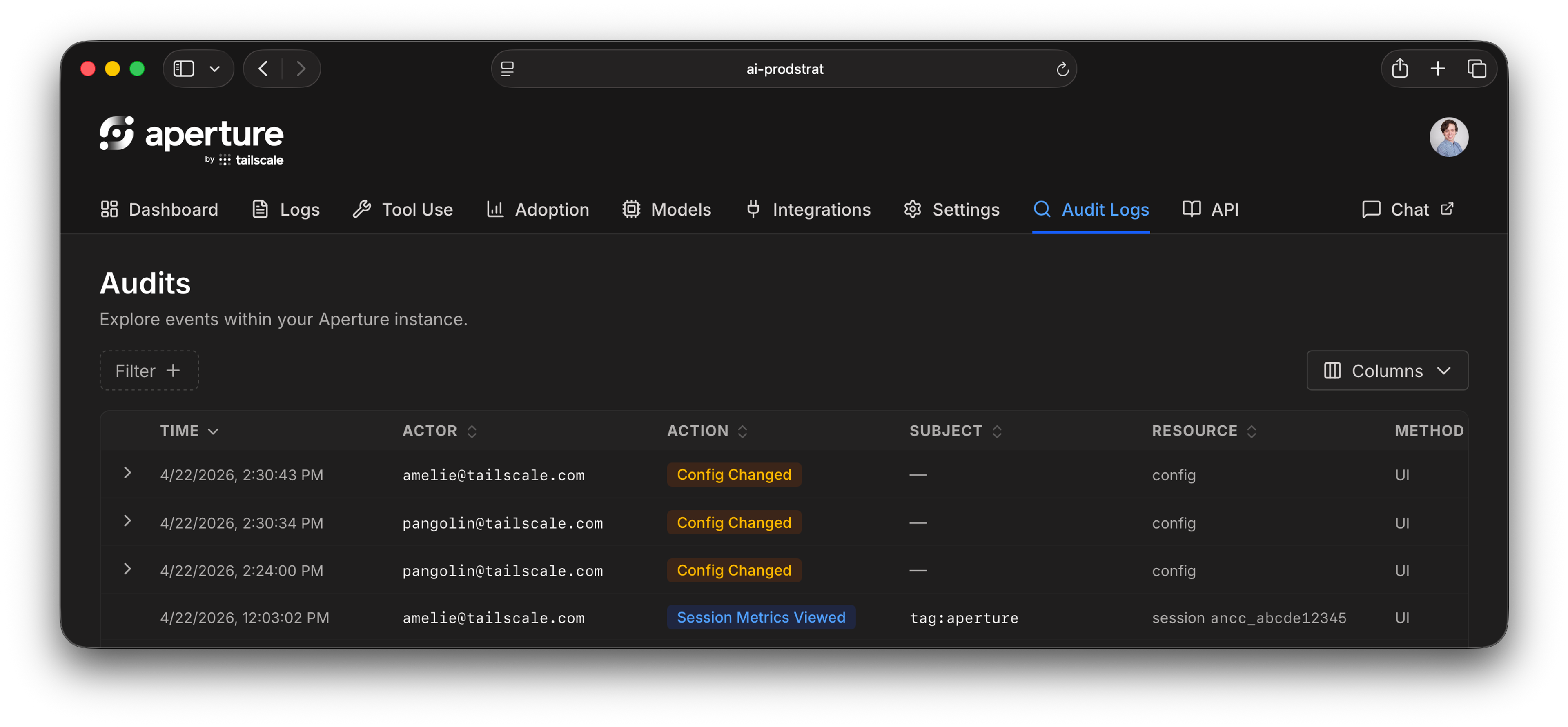
The second is audit logging for sensitive log access. When an administrator views logs owned by another user on an Aperture instance, that access is now recorded. Other administrators can review that history using a new API endpoint, or our web UI.
Free for individuals and small groups
Finally, a note on pricing. As Aperture moves into beta, we’re happy to announce that Aperture will be included for users on our Personal plans. So, if you’d like to sign up for Aperture, you can do so for yourself and up to five additional users (total of six) on your Personal plan.
If you’d like to use Aperture as part of a larger team, please reach out. We’ll have more public pricing information to share as we move towards general availability.


