 Kevin Purdy
Have you ever asked an LLM in chat what seemed like a simple question, then watched as it reinvented fire, the wheel, and quantum physics to tell you how far Scotiabank Arena is from the Toronto airport?
AI agents, like Claude Code, Codex, OpenCode, and OpenClaw, can do that, too. But their users explicitly encourage them to dig deep. Agents can make dozens of LLM requests per task, invoke tools, and pass data to one or more providers. So who sent what data to which model, and where is it logged?
If you’re using Aperture, you can see, store, and control access to this data.
Here’s how Aperture works to help you audit what your AI agents are accessing, who’s managing them, and where it’s all logged.
Every AI request has an identity attached
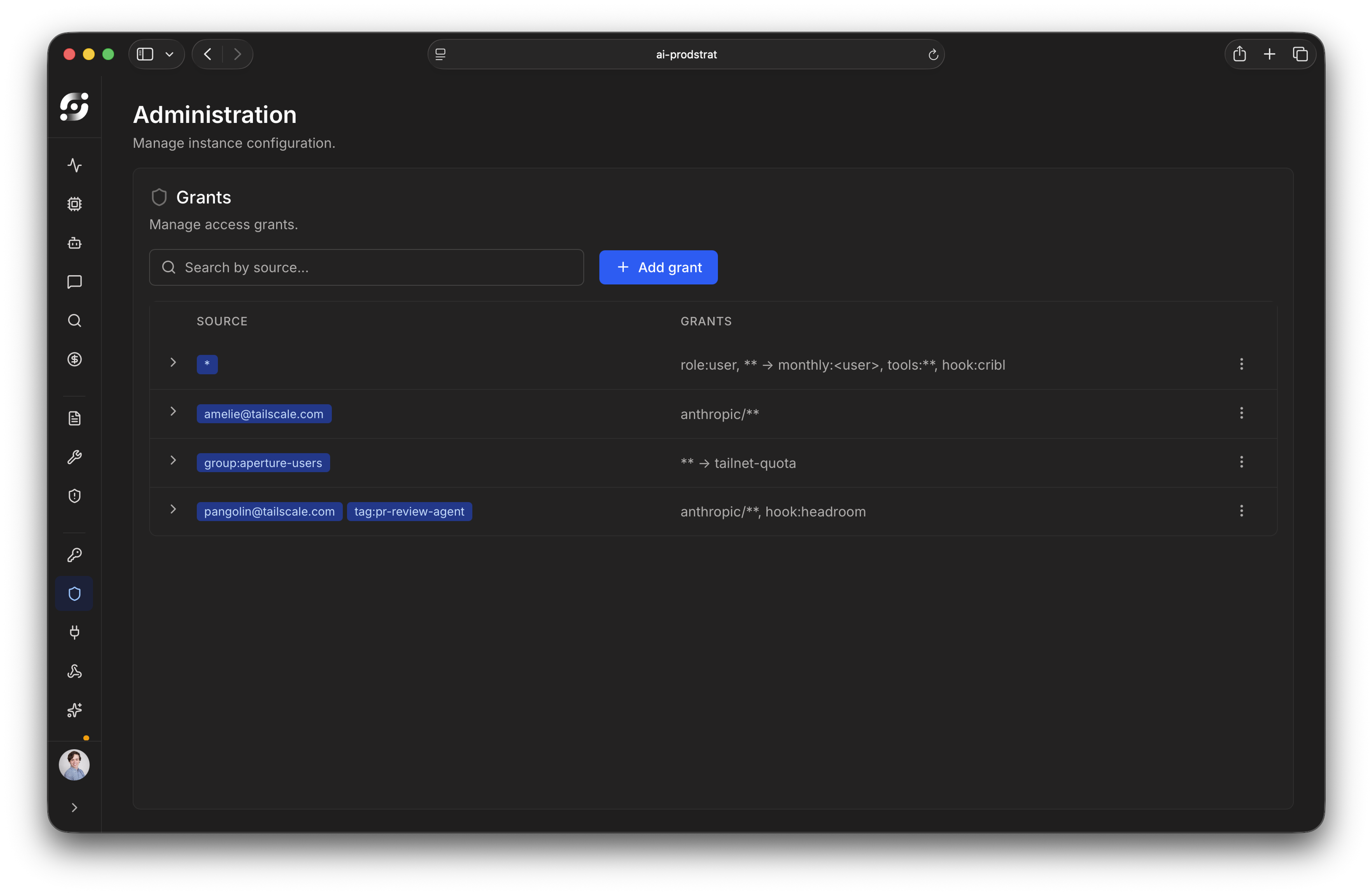
Aperture’s ability to rein in AI agent sprawl starts with its identity layer. Every request routed through Aperture comes with cryptographic proof of identity through Tailscale. When tokens are set on fire, you’ll know where the smoke started.
Every time a person or a agent makes a request through Aperture, their login name, device ID, and any related tags are pulled from their identity. The same goes for tagged “non-human” devices, like CI runners or background agents, which pick up an identity from their tags.
You don’t have to go message-by-message through a coding session or chat session, thanks to Aperture’s session tracking. Related requests are all grouped into sessions, so you can see the context of the data, tools, and costs associated with deeper work.
Identity flows through the whole system: every record, dashboard, and session log. You can always answer “Who did this,” and the answer is a specific person or device. Some vendors try to provide visibility by pulling every user, and every job, into a single ecosystem and control panel. Aperture provides consistent identity, visibility, and control layers across whatever tools teams choose to use.
What data is captured, where it’s kept
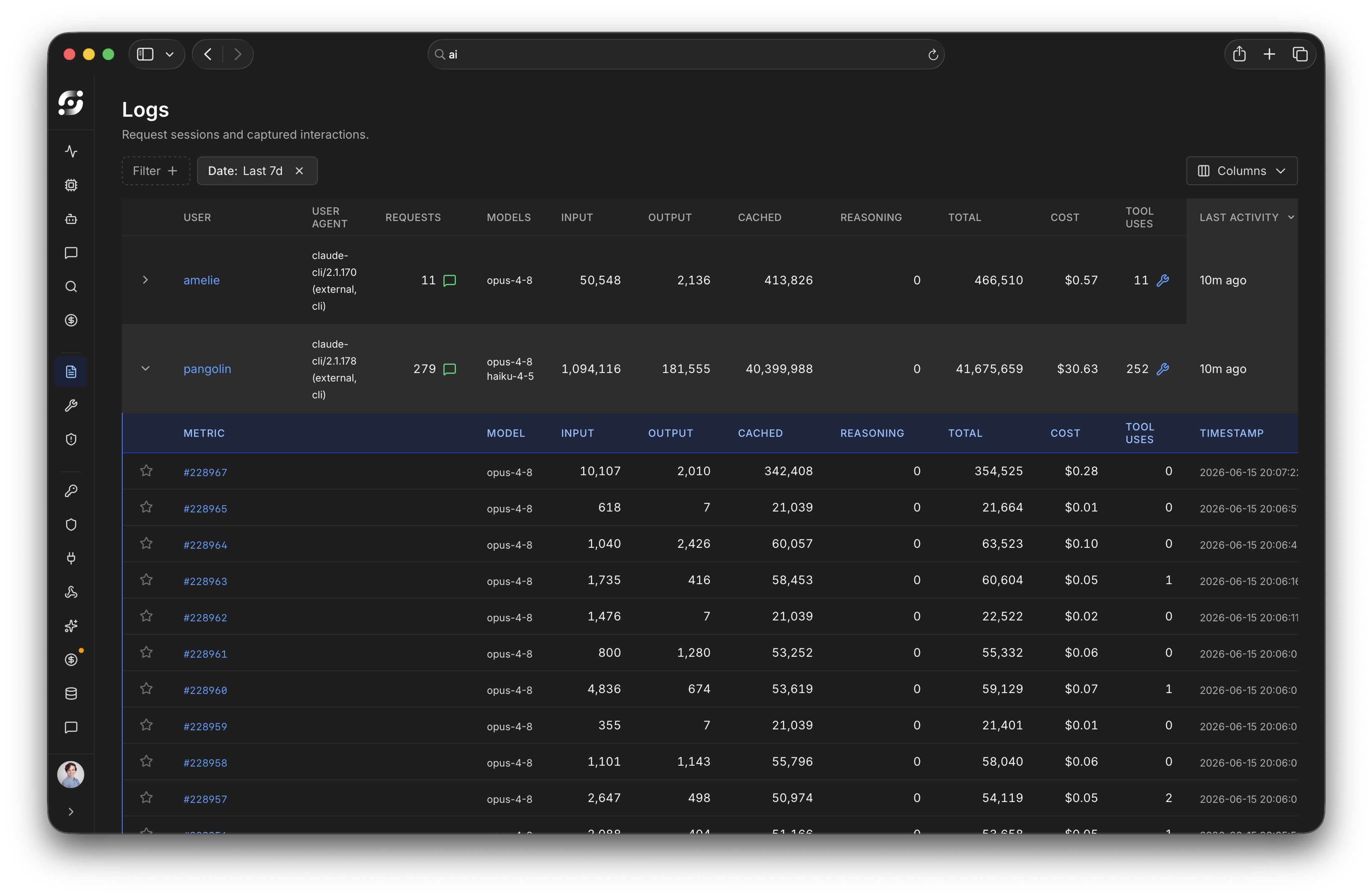
Aperture captures the full request-response lifecycle of every LLM interaction. Administrators get granular access and control to what data is being retained and where it ends up.
Here’s what Aperture captures:
- The full request body from a user
- Full response body from the LLM
- HTTP headers (with sensitive values redacted)
- Token counts by type (input/output/cached/reasoning)
- Model name
- Duration
- Tool use
All of this is captured asynchronously, after a response is completed. Aperture doesn’t slow down AI work in any way.
How much captured data you want to keep is up to you. You can reduce your capture log retention all the way down to zero. You can export logs to S3-compatible storage for your SIEM system so you can detect and respond to threats. Or you could do both, holding no data, but still having a full audit trail.
You can let trusted partners into your data, too. Aperture has already built APIs and integrations with Cribl, Oso, Apollo Research, and Cerbos, with more to come.
Who can see the logs (and who can’t)
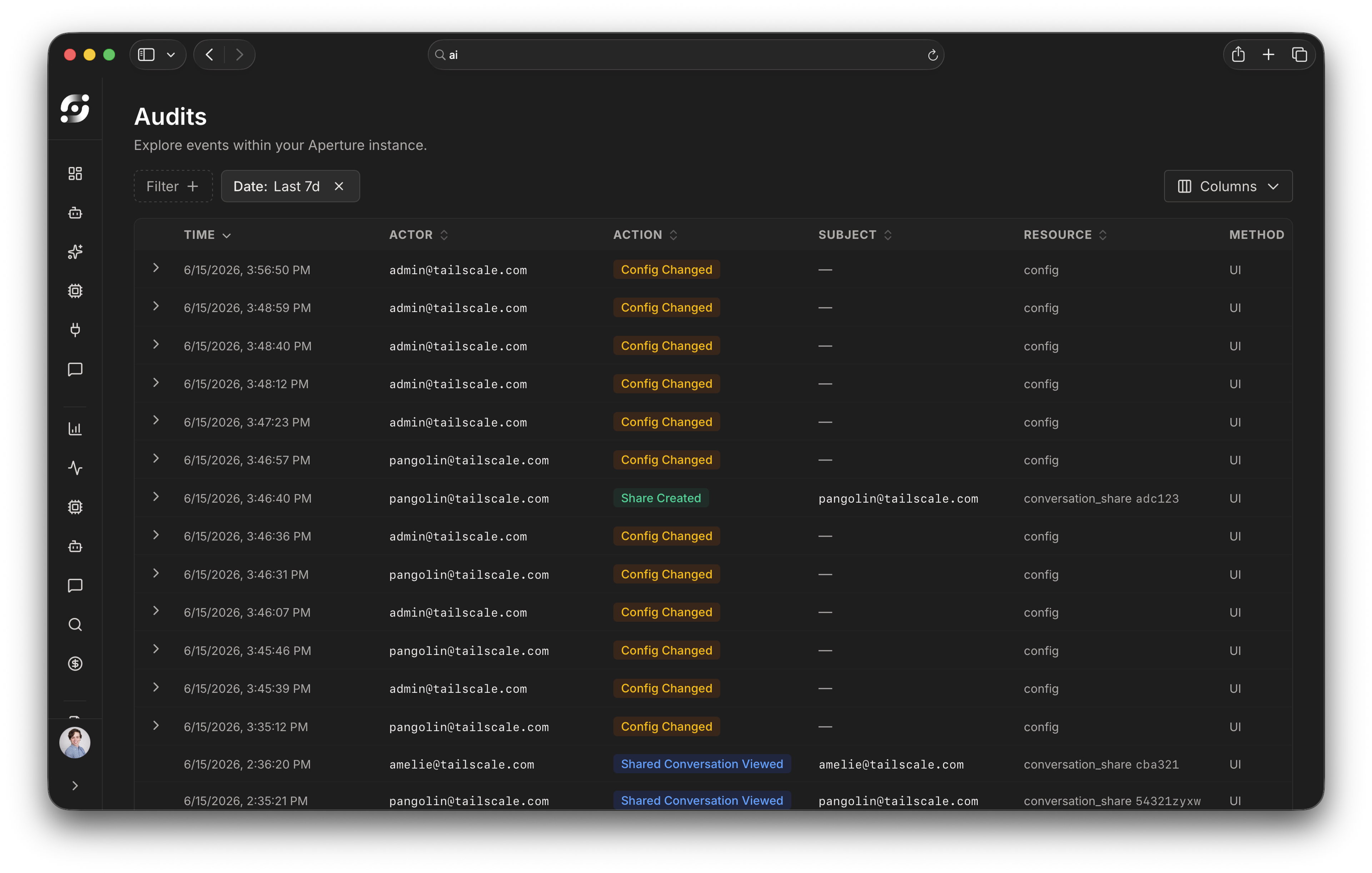
Aperture’s access policy for session data is deny-by-default. Access to logs, just like access to models, is controlled through a grants system, one that can map directly onto Tailscale identities.
Grants can be highly specific (alice@example.com), categorical (tag:ci-runner), or open-door (*). In Aperture, you can also scope by provider and model, like anthropic/** or openai/gpt-5, and set MCP tool access through grants, too. There are two roles at the moment, user and admin, with more to come soon.
If you’ve already got Tailscale grants configured, you can set up Aperture in the same tailnet policy. Aperture and Tailscale grants combine additively.
Administrator access logging
Along with insights into AI use, Aperture, unlike most gateways, can also log what administrators do with those logs.
When someone with an admin role views logs owned by another user, the access is recorded. Other administrators can review the audit trail, either by API endpoint or Aperture’s web interface. It’s a clear signal to auditors that admin access to sensitive session data is both tracked and reviewable.
Enforcing policy before data leaves your network
Aperture’s policies wouldn’t mean much if all you could do is see what went out the door. By providing LLM access through Aperture, policies can be enforced before requests hit their providers, through guardrails. You can see not only what did happen, but what was blocked from happening.
- Pre-request hooks can scrub personally identifiable information (PII), block requests that violate data policy, or strip out specific tool declarations
- Should the guardrail service be unreachable, requests can be configured to fail_closed (blocked) or fail_open (proceed)
- Aperture partners can add fine-grained authorization at the tool-call level, allowing or denying individual calls
- Quotas can enforce spending per user, group, agent, or run, across all providers.
Auditing highly active AI agents requires identity, logging, and visibility into who can see what. Smart limits on data, tools, and spending are a natural outgrowth of Aperture’s gateway design. It’s a single place to see what’s happening, what happened, and what's being blocked from happening with your LLM tools.
See for yourself by getting started with Aperture on any Tailscale account, including our Personal plan. If you’d like to know more about how Aperture would fit your organization’s needs, contact us and we’ll walk you through it.


