 Kevin Purdy
We’re excited to announce LM Link, a partnership with LM Studio, the app that makes it easy to download, run, and serve open-weight LLMs on hardware you control. LM Link is the easy and more secure way to share LLMs between devices you control, unexposed to the public Internet.
Tinkerers can access remote models at home from their laptops, teams can share their beefier GPU-backed models across multiple endpoints, and everything flows over encrypted connections.
How it works
LM Studio allows for easy downloading, loading, and serving of open-weight LLMs on devices you control, on desktop or running headless (llmster). With LM Link, once devices are authenticated, they automatically discover each other and establish an end-to-end encrypted connection—regardless of what network they’re on, without exposure to the public Internet. Powerful model hosts can serve parallel requests across the country, or the world, as easily as if they were on-device.
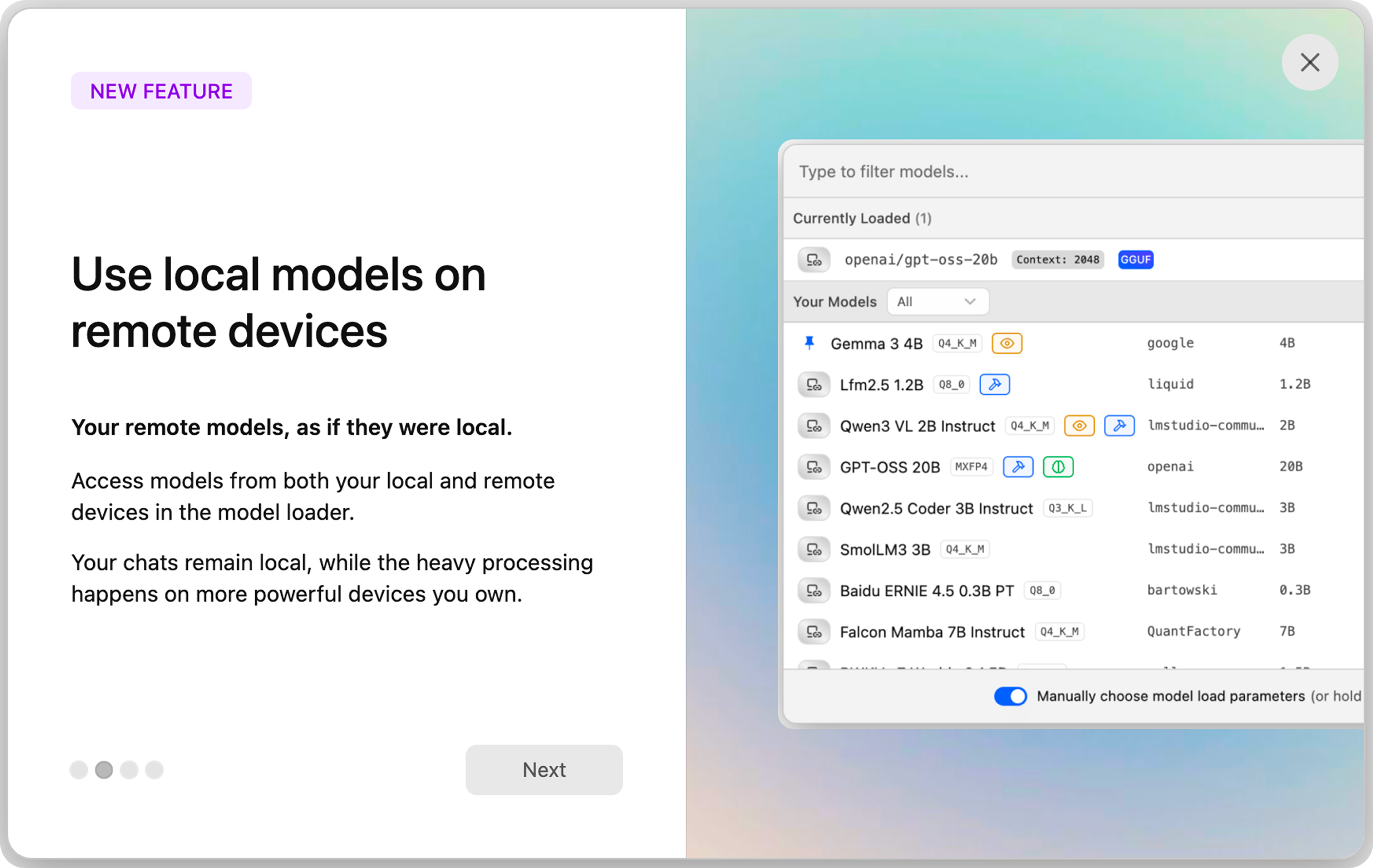
Once LM Studio is installed, adding your devices to your Link is a couple clicks in the desktop app (starting with Add a remote machine) or terminal commands (lms login, then lms link enable). Now, when using LM Studio, you’ll see local models on that machine, as you’d expect, but also remote options.
What you can do with LM Link
With simple discovery over Tailscale’s private networks, complicated tech setups become bullet-point ideas:
- Power home users can keep Qwen3 4B on your daily driver laptop, but transparently use GPT-OSS 120B on the heavyweight back at headquarters
- Give everyone on your team access to large models for research, image understanding, and other work, with none of it going public
- Fast-moving teams can try out large models in-house, without giving security headaches about public endpoints
- Edge and IoT devices get access to far more compute to do their work, with direct connections and far fewer network hops
- Regulated industries get access to models they can use without public model exposure, keeping data and control on-prem
- Developers can run tests against large models without exposing CI infrastructure
Underneath the hood
LM Link is built on tsnet, a userspace Go program that works without touching kernel sockets or routing tables. This setup provides short-lived, auditable onboarding, centralized device control, and encrypted peer-to-peer traffic.
LM Studio handles device discovery, keep-alives, and other config data. All the chatter between LM Studio devices involving prompts and response inferences, model listings, hardware information, and the like is never seen, either by Tailscale or LM Studio’s backend service.
Get started with private, feels-like-local LLMs
LM Studio is free for personal use, and also for work, with enterprise plans available for advanced features. Create your LM Link by getting started at their site.


