 Kevin Purdy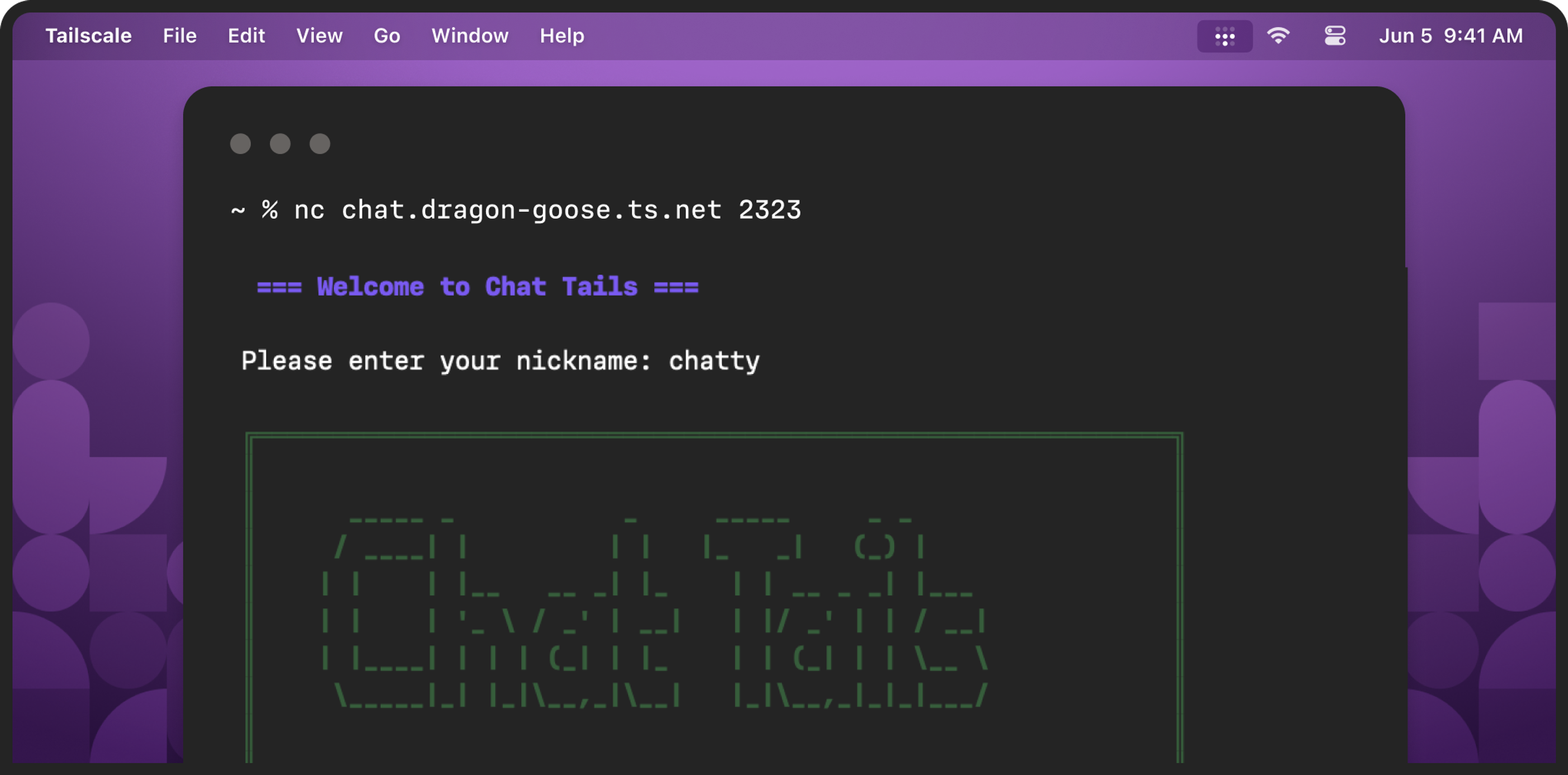
To find a safe space for his kid to chat during Minecraft, Brian Scott had to go back to the future.
The chat went back, that is, to an IRC-like interface, run through a terminal. The connection and setup remain futuristic, because Scott used Tailscale, and tsnet, to build chat-tails.
Chat-tails is the opposite of everything modern chat apps are offering. Nobody can get in without someone doing some work to invite them. All the chats are ephemeral, stored nowhere easy to reach, unsearchable. There are no voice chats, plug-ins, avatars, or images at all, really, unless you count ASCII art. And that’s just the way Brian wanted it.
“It’s about, hey, you have this private space, across your friends’ tailnets, where you can chat, about the game you’re playing or whatever you’re doing,” Scott told me. “It’s supposed to be more like the days where you were all on the same LAN, you would bring your computers together and have a gaming session. Now you can kind of have that same type of feeling, no matter where you are in the world—just a nice private area where you can chat.”
How it works
There are two ways of running chat-tails: “Regular mode” and “Tailscale mode.” In Regular Mode, you run ./chat-server, feed it a port number, room name, and maximum number of users, and then it creates the chat, on your local network. You can log into your router and enable a port forward, if you want, every time you create the chat and want to let others in—but opening up a telnet-style chat port on your home router, the one you’re having your kids chat on, seems like a pretty bad idea. Your mileage may vary.
In “Tailscale Mode,” you do all the same things, except you provide two more things. One is a --hostname, which makes the chat accessible (to Tailscale users with whom you’ve shared this chat) at your Tailscale domain, like hostname.something.ts.net. The other thing you give it is an auth key, connecting it to Tailscale. With that, any device on the tailnet, or shared into it, can access the chat through an nc or telnet command, like telnet hostname.something.ts.net 2323.
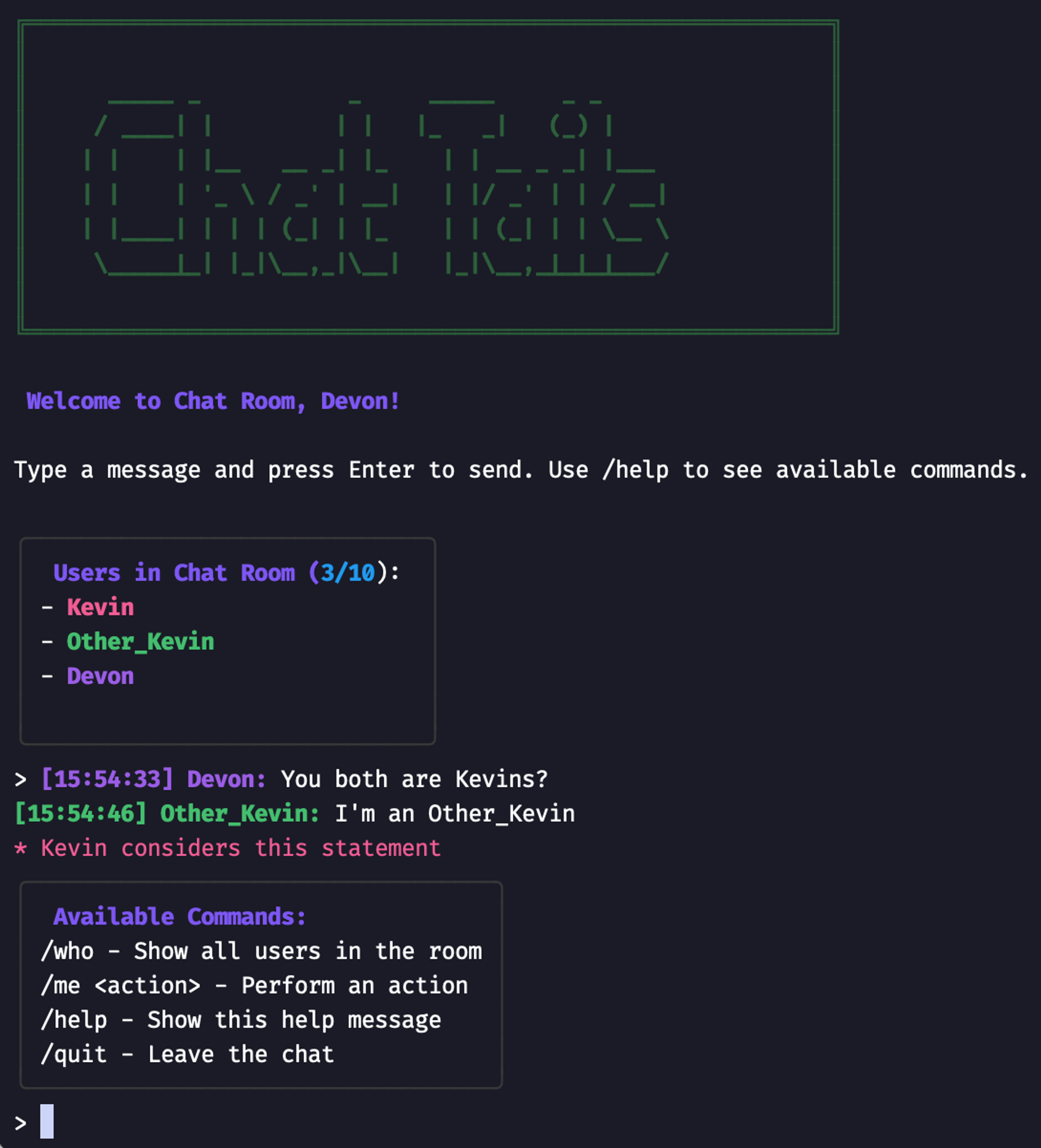
And then you are chatting, in a terminal. Type some text, hit enter, and everyone sees it. There are four other commands, as of this writing: /who lists the users, /help shows you these four commands, /me gives your text the italicized “action” flavor (“reaches for an ice-cold Diet Coke”), and /quit, it quits. That’s the app, and while it might pick up some features over time (it added history options just recently), it’s doing just what it should right now.
Building an old-school chat space
Scott is not a full-time code-writing developer, but has about 10 years’ experience working with Go. He had been eyeing the tsnet library for some time, thinking of projects that might fit a melding of Go and Tailscale. When his chat inspiration (chatspiration?) struck, he spent “about two days” learning and tinkering with the library for the first big effort.

“The tsnet (library) was actually the easiest thing,” Brian said. With the networking and verification pieces sorted, he just had to focus on the surprisingly hard task of getting text that one person types in a terminal to show up as text that another terminal user reads. “If you’re thinking of building something like Discord, you would incorporate some kinds of websocket communication, streamline everything across the wire. But for a terminal-based chat app, it’s really just TCP and UDP, just straight-up connections you’re actually dealing with.”
Making the chat look nicer than just a terminal line was helped along by bubbletea, a free and open-source terminal UI library. “While I was making this thing very minimal, I wanted to also make it very pleasing,” Brian said.
Anyone with experience building in Go could extend it or modify it, Brian said. He has looked at Go libraries for things like rendering images in terminal chat, and thought about how Taildrop could be used in a chat where everybody’s using Tailscale. Chat-tails is low-profile enough to easily run on a Raspberry Pi or similarly single-board computer (SBC); it might be leveraged as a portable, ephemeral chat to bring to events. Or it could just become a way for groups with a certain retro bent to replace their personal Slack or Discord setups.
But for now, it’s a fun way to offer his child and friends a safe learning space.
“You launch it on top of Tailscale, scale it as big as you want, and now your community is not only learning about VPN technology, but also the basics of SSH, terminal, things like that,” Brian said. “It feels good, very retro-futuristic, and fun.”
More community apps like this
Brian’s chat-tails is included in our community projects hub. Built something neat with Tailscale? Submit it by emailing community@tailscale.com.
If you’re enjoying chat-tails, or other community projects, we’ve got a whole channel for that in our Discord, #community-projects. We’re also listening and sharing great projects on Reddit, Bluesky, Mastodon, and LinkedIn.


